Using Jinja2 HTML Template
Jinja2 can be used to create generic HTML templates that contains variables as placeholders which are getting filled during the rendering process. With that you can create your own custom HTML pages without any static data, because the data gets filled automatically at runtime.
robotframework-testdoc parses your given suite directory and fills the given Jinja2 HTML template with the parsed data.
You can choose between:
- Using the predefined internal Jinja2 HTML template provided by testdoc
- Writing your own Jinja2 HTML template & attach it as CLI argument to the testdoc execution
Default Behaviour
testdoc will always use the internal jinja2 template as default template unless you specify something else!
Internal Jinja2 HTML Template
The tool robotframework-testdoc provides an internal jinja2 HTML template which can be found here: Internal Jinja2 Template.
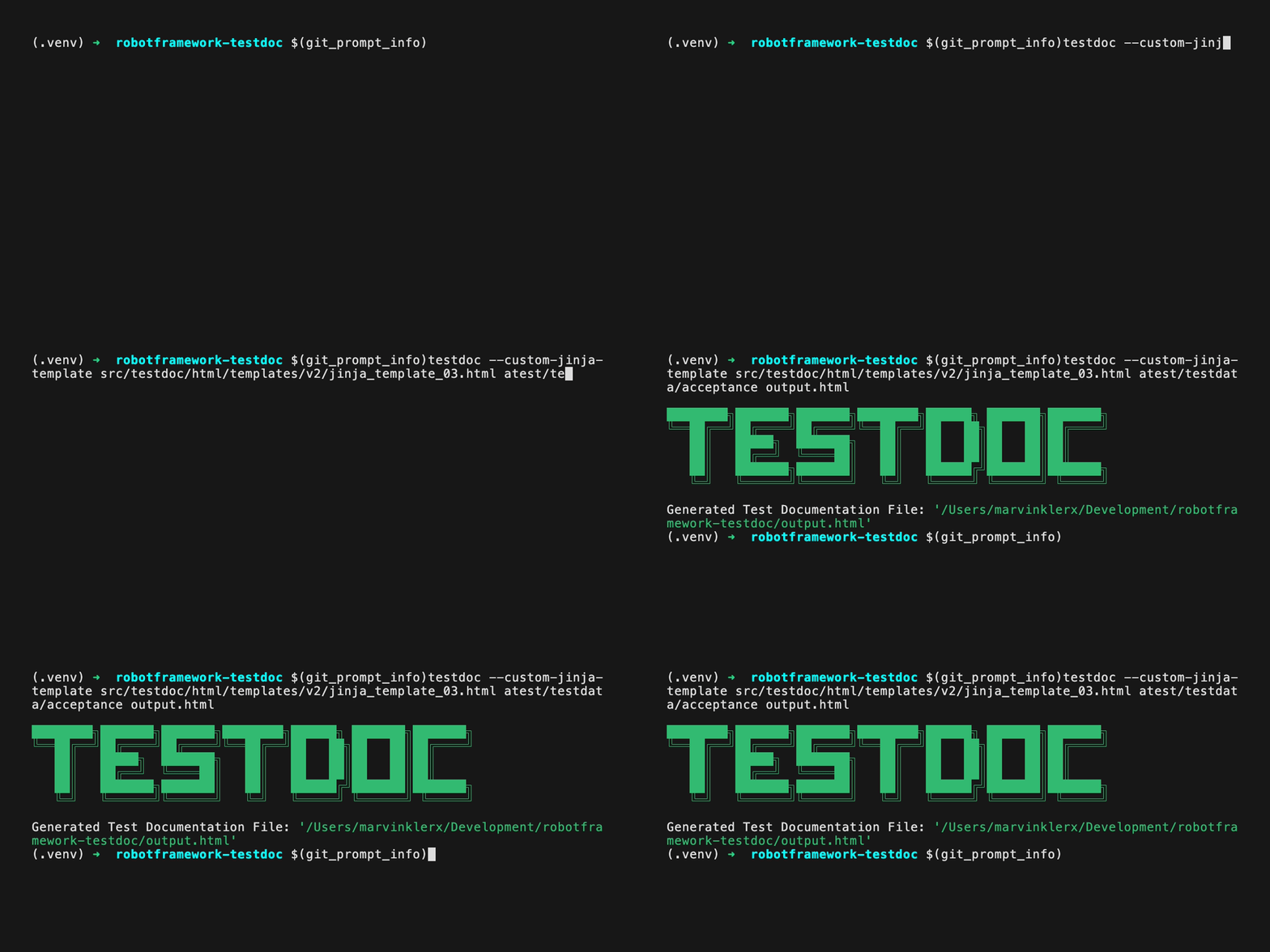
Execute the following command to generate a test documentation using this predefined template:
testdoc suite_directory output/testdocumentation.html
External Jinja2 Template
You can also create your own jinja2 html template & pass it into the testdoc tool via CLI argument:
testdoc --custom-jinja-template <path>/my_jinja2_template.html suite_directory output/testdocumentation.html
Read the API Documentation
Please read the API Documentation before creating your custom template - you must know which metadata gets provided by testdoc to be used in the jinja2 template!
Example
Please take a look at the Internal Jinja2 Template to get an idea about using the provided metadata by testdoc!
Open Jinja2 Webpages
You can simply open the defined output HTML file in any browser on your local system. Jinja2 generates a static HTML pages without any dependecies.
Host a CI/CD Webpage
You also can host this generated output HTML file as static page in your CI/CD environment, e.g. as GitLab Page or GitHub Page.
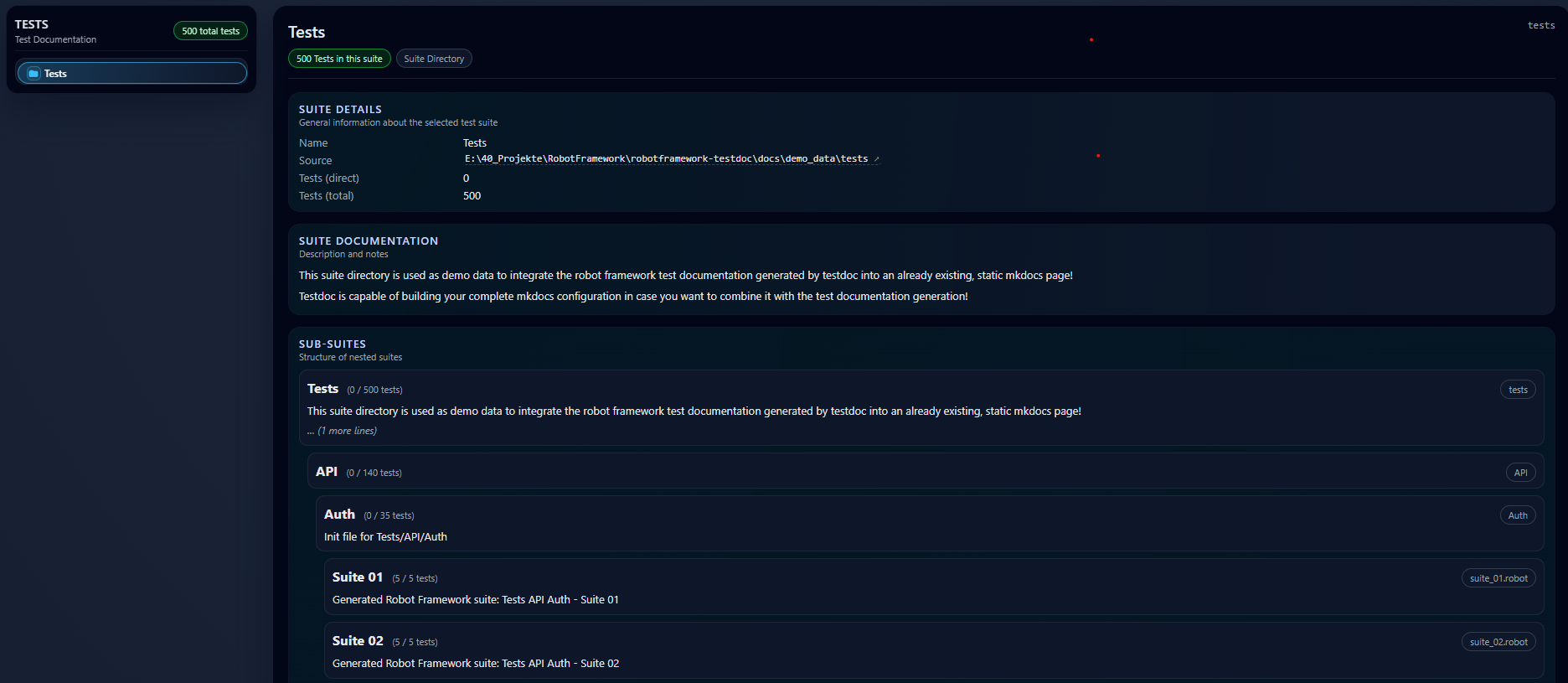
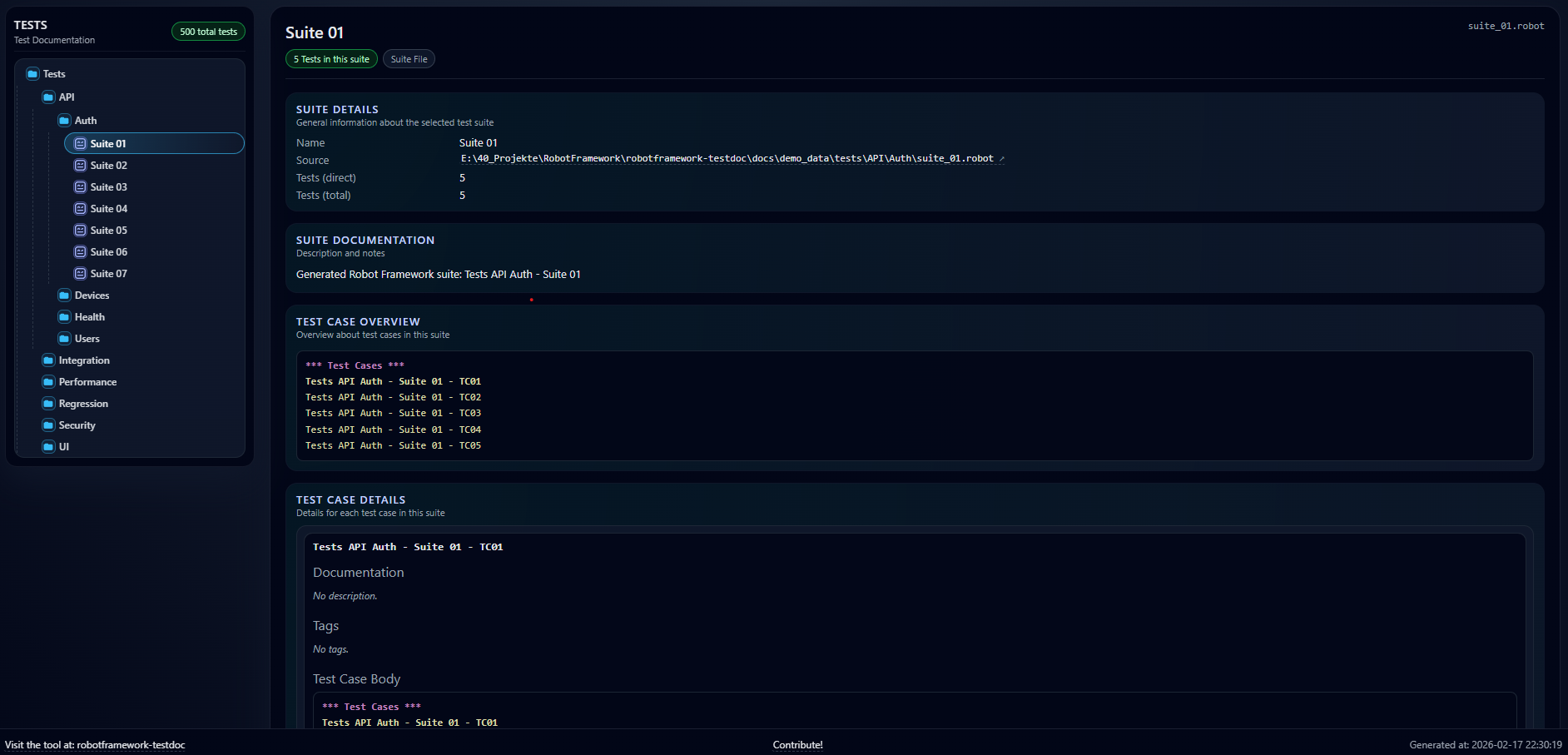
Example HTML Page via Jinja2
Below you can see two examples how your test documentation will look when generating it using the internal jinja2 template:
Using Robot Framework Lexer
Testdoc provides a generic Robot Framework Lexer for modern syntax highlighting. You can use this lexer in your custom Jinja HTML template.
Therefore, you need to add the following attributes to your HTML template:
HTML Style Section:
{{ pygments_css | safe }}
HTML Section:
The following code generates a pre section in your HTML with the custom RF lexer.
{% set code -%}

*** Test Cases ***

{{ s.tests | map(attribute='name') | join('\n') }}

{%- endset %}

{{ code | highlight_robot_in_pre | safe }}